

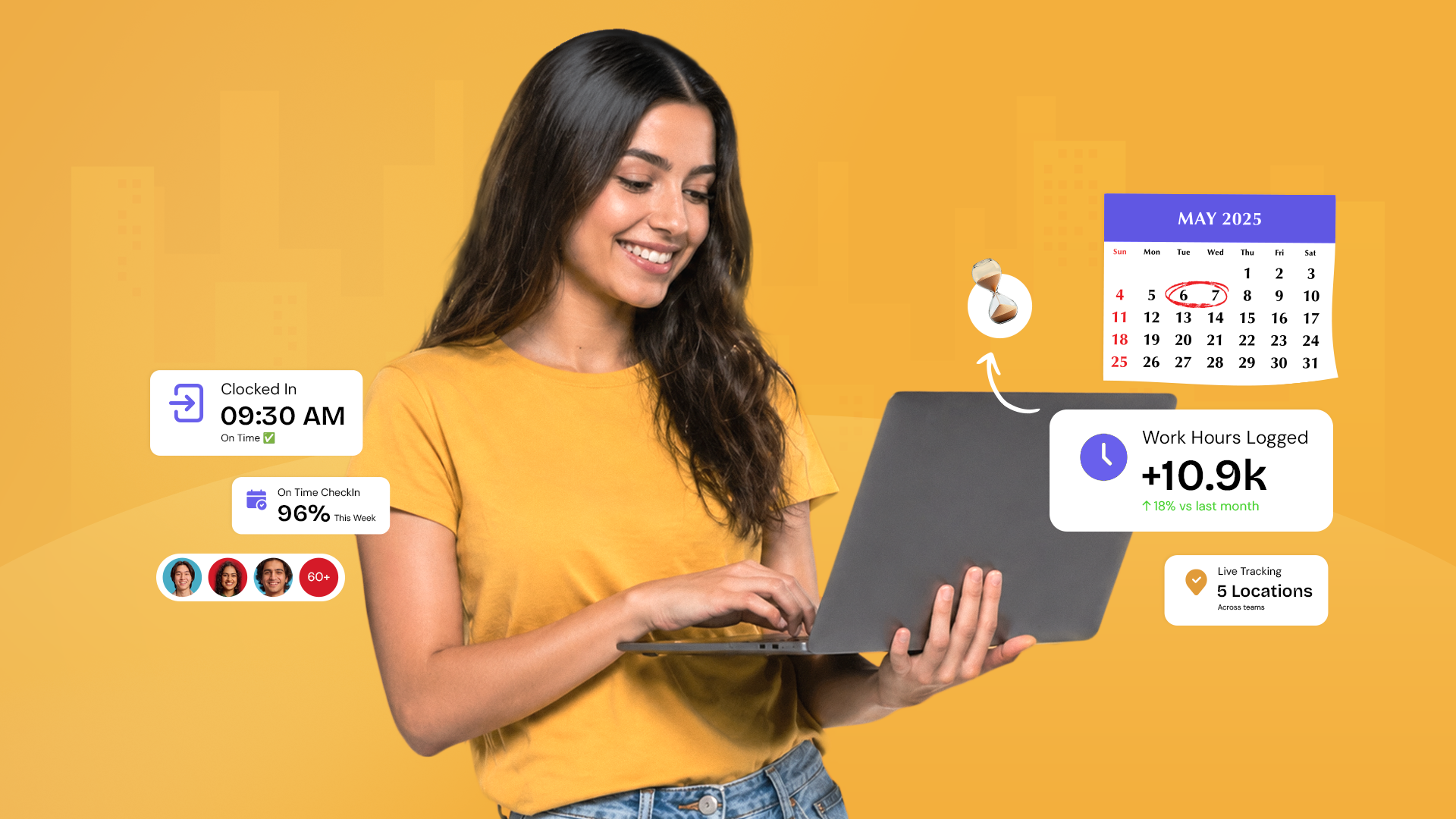
Every organization tracks time. Most do it badly. Paper timesheets get lost, spreadsheets get corrupted, buddy punching goes undetected, and field employees log hours from locations nobody can verify. By the time the errors reach payroll, they’ve already cost the organization in overpayments, compliance exposure, and eroded employee trust. Time and attendance software exists to eliminate all of this, but only if it’s chosen and implemented correctly.
Outdated manual methods, paper timesheets, card swipes, or spreadsheet-based tracking are labour-intensive and prone to inaccuracies. They create opportunities for time theft, buddy punching, and payroll errors that cost organizations significantly in both money and trust. This is where time and attendance software steps in, providing an automated and efficient solution to regulate attendance for employees accurately, consistently, and at scale.
Moreover, after the pandemic, as businesses of all sizes adapted to the hybrid work model, many have become increasingly reliant on time and attendance software to effectively manage their teams as they work remotely. The need to track attendance across multiple locations, time zones, and working arrangements, without a single physical punch card, has made modern time and attendance software not just useful but essential.
This guide covers everything: the importance of time and attendance software, its seven core benefits, the eight must-have features, how to build an effective attendance policy, best practices for biometric systems and geo-tagging, shift scheduling strategies, field employee tracking, healthcare-specific applications, cloud-based solutions for Southeast Asia, and how to choose the right platform for your organization in India, the GCC, or SEA.
1. What Is Time and Attendance Software, and Why Does It Matter?
Time and attendance software is a sophisticated system application that streamlines and automates the tracking of employee attendance. It harnesses cutting-edge technologies, biometric systems, geo-tagging, and cloud computing to establish a resilient, real-time system capable of delivering accurate data insights on employee attendance trends across the entire organization.
But time and attendance software is far more than just a digital replacement for a punch card. Its importance extends well beyond simply recording when employees arrive and leave. A properly implemented time and attendance software plays a key role in helping businesses keep a tab on anticipated future sales, return on investment (ROI), employee benefits, and expansion plans. The data it generates serves as tangible, auditable evidence that supports the decisions made by business owners and managers, from workforce planning to compliance reporting to payroll accuracy.
Key Statistics on Time & Attendance Management
- Automated time and attendance software could completely reclaim the approximately 20% of HR managers’ time spent manually crafting work schedules.
- Time theft, including buddy punching and inflated timesheets, costs employers billions annually. Biometric and geo-tagging features in modern systems eliminate these issues entirely.
- Organizations that use automated time and attendance systems see a big drop in payroll mistakes, rule-breaking, and extra work compared to tracking time manually.
- Post-pandemic hybrid work adoption has made digital attendance tracking a necessity for over 70% of organizations, manual methods simply cannot scale to distributed, multi-location workforces.
Time and attendance software is the operational foundation that connects workforce presence to business outcomes, ensuring employees are where they need to be, working the hours they are scheduled for, and compensated accurately for the time they put in.
2. Core Benefits of Implementing Time and Attendance Software
Here is how time and attendance software benefits organizations, regardless of their size, industry, or geographic spread:
Benefit 1: Accurate Attendance Tracking
Traditional employee attendance monitoring systems have become obsolete, they are prone to human errors and lack the accuracy demanded in today’s business landscape. Modern time and attendance software that integrates innovative technologies like geo-tagging and IP validation has proved to be a game changer. These advanced technologies ensure unparalleled accuracy in attendance recording, eliminating the guesswork and the manual corrections that consume so much HR time in traditional systems.
Accuracy in attendance tracking is not just an operational convenience, it is a financial and legal necessity. Every inaccurate attendance record is a potential payroll error, a compliance risk, or a dispute waiting to happen. A time and attendance software that records attendance correctly, automatically, and in real time eliminates these risks at their source.
Benefit 2: Enhanced Clock-In and Clock-Out
The geo-tagging feature in time and attendance software simplifies the clock-in and clock-out process, offering both employees and employers convenience and assurance. Whether employees are working in the office, on the go, or working remotely in a hybrid environment, geo-tagging ensures seamless tracking of attendance from any location.
For employees, this means no more queuing at a physical clock or remembering to swipe a card. A single tap on a mobile device, verified by location data, records their presence instantly. For employers, it means confidence that attendance records are accurate and location-verified, regardless of where their people are working from.
Benefit 3: Easier Multi-Location Management
With the rapidly increasing trend towards remote hiring and geographically dispersed workforces, effective multi-location time management has become a necessity rather than a luxury. Advanced technology within modern time and attendance software enables accurate tracking across numerous locations simultaneously, eliminating the pitfalls of time theft and improving overall accuracy across the entire workforce.
For organizations operating across multiple cities, states, or countries, a common reality in India, the GCC, and across Southeast Asia, this capability is transformational. A single platform that tracks attendance in Mumbai, Dubai, Singapore, and Manila simultaneously, applying the right rules and policies for each location, is what modern workforce management requires.
Benefit 4: Boost to Productivity
Attendance management directly impacts productivity and employee morale. When attendance is tracked automatically, the administrative burden on HR teams drops dramatically, freeing them to focus on higher-value work. At the same time, the workforce experiences increased transparency and accountability: employees are aware of the accurate and fair monitoring of their attendance, which fosters responsibility and minimizes absenteeism.
Automation also makes overtime, breaks, and adherence to work hours transparent and effortless to monitor. Managers can see at a glance who is running late, who has exceeded their scheduled hours, and who has an attendance pattern that warrants a conversation, without manually compiling reports or chasing data from multiple sources.
Benefit 5: Better Shift Scheduling
Round-the-clock work schedules must be efficiently managed to prevent employee burnout and ensure seamless operations. Studies indicate that HR managers spend about 20% of their time manually crafting work schedules, a staggering proportion of productive HR bandwidth consumed by a task that modern time and attendance software can handle automatically.
Automated time and attendance software simplifies scheduling by using analytics and historical data to create balanced, efficient shifts that match staffing levels to operational demand. Managers can notify employees of shift changes promptly, reducing last-minute confusion, absenteeism, and the coverage gaps that disrupt operations. The result is a more balanced, engaged workforce and a scheduling process that takes hours rather than days.
For detailed guidance on building optimal shift schedules, explore 7 Easy Steps to Create the Perfect Shift Schedule for Your Team
Benefit 6: Improved Compliance
Labour regulations are stringent across every market this guide covers, and they differ significantly from country to country. Getting them wrong is expensive in fines, reputational damage, and in some markets, work permit bans.
- In India: Compliance obligations vary by state and industry type. The Factories Act 1948 governs working hours, overtime limits, and mandatory rest periods for manufacturing workers. The Shops and Establishments Acts, enacted separately by each state, cover commercial establishments and vary in their specific requirements for working hours, weekly offs, and overtime rates. Organizations operating across multiple Indian states must apply the correct state-specific rules for each location.
- In the UAE: Federal Decree-Law No. 33 of 2021 governs employment relationships across the private sector, including working hours (48 hours per week standard, reduced during Ramadan), overtime rates, and mandatory rest periods. The Wage Protection System (WPS) requires salary payments through approved channels within defined timelines, attendance data directly feeds WPS compliance.
- In Saudi Arabia, the Saudi Labour Law sets maximum working hours at 48 per week (36 during Ramadan), with specific overtime rates and restrictions on night work for certain categories of employees. Nitaqat (Saudization) quotas add an additional layer of workforce composition compliance that HR teams must track.
- In Singapore, the Employment Act administered by the Ministry of Manpower (MOM) sets working hour limits, overtime entitlements, and rest day requirements. The Central Provident Fund (CPF) contribution obligations are directly linked to salary and hours worked, making accurate attendance data a payroll compliance prerequisite.
- In Malaysia, the Employment Act 1955 governs working hours (48 hours per week), overtime (maximum 104 hours per month), and rest day entitlements. Employers must maintain attendance records that can be produced for inspection on demand.
- In the Philippines, the Labour Code sets the standard 8-hour workday, overtime pay rates, and mandatory rest periods. Night differential pay, additional compensation for work between 10 PM and 6 AM, must be calculated from accurate attendance data.
Time and attendance software that applies the correct compliance rules for each of these jurisdictions automatically, not through manual configuration by HR teams who may not know the specific rules, is the only sustainable approach to compliance at scale.
Benefit 7: Streamlined Payroll Processes
Time and attendance software with geo-tagging makes payroll management much easier by delivering accurate data directly to payroll and billing systems. This streamlined process saves time, minimizes errors, and serves as the organization’s single trusted source of critical staff information throughout the entire employee lifecycle.
The integration between time and attendance and payroll is one of the most high-value connections in the HR technology stack. When attendance data flows automatically into payroll without manual export or re-entry, payroll accuracy improves dramatically. Companies avoid both over- and underpayment to their workforce, mitigating legal risks, reducing disputes, and ensuring that employees are remunerated for the exact hours they put in, as opposed to the hours they were simply assigned to work.
3. Must-Have Features in a Time and Attendance Management System
Not all time and attendance systems are created equal. If you are looking to choose the right time and attendance software, you need to ensure that it has these essential features, the ones that determine whether the system will solve your problems or create new ones:
Feature 1: Biometric System for Attendance
Modern time and attendance software employs advanced biometric technology, such as fingerprint scanning, facial recognition, or iris scanning, to ensure precise and fraud-proof recording of employee attendance. Compared to traditional methods like ID badges and timecards, biometric systems offer superior security by removing reliance on physical items that can be forgotten, stolen, or misused.
Biometric systems make it easier for employees to check in and out by having them scan their unique biological features, which stops issues like one person clocking in for another. This single feature alone can save organizations significant amounts in payroll costs and compliance exposure.
For a detailed guide on implementing biometric attendance correctly, read Biometric Attendance System: 11 Best Practices to Ensure Efficiency and 6 Ways of Enhancing Your Workforce Management With Biometrics.
Feature 2: Enhanced Geo-Tagging
Geo-tagging is a valuable addition to time and attendance systems that significantly improves tracking efficiency, especially in hybrid work environments where employees may be working from home, at client sites, or across multiple office locations. Geo-tagging ensures accurate tracking across multiple locations, reducing time theft and fraud by verifying that employees are where they say they are when they clock in.
Geo-tagging also plays a critical role in payroll accuracy for field-based and remote workforces. When attendance is location-verified, the data flowing into payroll is reliable and auditable.
Read more: Unlocking the Power of Geo-tagging: Why Payroll Companies Should Pay Attention.
Feature 3: Attendance Management
Efficient time and attendance software should simplify and automate the complete attendance management process. This feature enables employees to effortlessly clock in and out each day to log their attendance from any device, from any location, with the click of a button.
A good system will also automatically mark employees as absent if they fail to check in for the day while providing the flexibility to adjust attendance entries when necessary, for example, when an employee forgets to clock out or works from an unregistered location. All adjustments should be logged with an audit trail to maintain data integrity and compliance readiness.
Feature 4: Employee Schedule Management
An ideal time and attendance software should make employee scheduling simple, transparent, and conflict-free. It should allow managers to create multiple shifts simultaneously, set time boundaries and shift allowances with ease, and automate shift rotations, eliminating the scheduling conflicts and errors that are common in manual systems.
In the event of a shift change, the system should alert employees promptly and automatically, giving them the time they need to plan their personal schedules and reducing last-minute no-shows. The scheduling module should also factor in compliance requirements, maximum working hours, mandatory rest periods, and overtime rules, ensuring that schedules are legal by design.
Feature 5: Timesheets
Timesheets enable employees to easily record the time they have dedicated to various projects and tasks while simultaneously providing managers with an overview to track progress and resource allocation. A beneficial timesheet feature should allow managers to assign tasks to staff, approve or decline submitted timesheets, and give employees the ability to log time for approval.
Additionally, the timesheet data should be used by the system to generate precise client invoices where applicable, particularly relevant for professional services, consulting, and project-based organizations where billable hours are the primary unit of revenue. Integrating timesheets with project management tools further streamlines the process.
Feature 6: Detailed Reporting and Analytics
A time and attendance software should have robust reporting features that offer a thorough overview of the organization’s attendance activities. For online employee attendance monitoring, the system should clearly show the status of each person, absent, present, tardy, or leaving early, in real time. It should also display pending and completed tasks, comparisons between scheduled and logged hours, overtime trends, and absenteeism patterns.
These analytics are not just operational tools, they are strategic inputs for workforce planning. When HR leaders can see attendance trends by department, location, or shift, they can identify structural issues (understaffed shifts, chronic absenteeism hotspots, and overtime dependency) and address them proactively rather than reactively.
Feature 7: Seamless Integration With HRMS and Payroll
Effective time and attendance software should seamlessly integrate with your HRMS and payroll systems for streamlined, error-free payroll calculation. This integration eliminates the need to manually import time and attendance data into the payroll system, removing a major source of errors and saving significant time and resources in every payroll cycle.
Integration should extend beyond payroll to include leave management (so approved leaves are automatically reflected in attendance records), performance management (attendance patterns are relevant to performance conversations), and HR analytics (workforce data should flow freely across connected systems for comprehensive reporting).
Feature 8: Mobile-First Approach
A mobile time and attendance tracking experience is no longer optional, it is a baseline expectation. A mobile-first time and attendance software is beneficial for both employees and employers. Employees can accurately record their work hours, check their schedules, apply for leave, and review their attendance history, all from their smartphone, regardless of where they are working.
For employers and managers, the mobile app provides real-time visibility of team attendance, the ability to approve or decline requests on the go, and live tracking of remote and field-based employees’ locations. It enhances communication and collaboration between employer and employee, streamlining HR activities such as attendance tracking, leave approvals, and shift management, without requiring anyone to be at a desk.
For a complete feature evaluation framework, read 11 Features to Look for in Your Time and Attendance System
4. Building Your Time and Attendance Policy: The Foundation Everything Else Rests On
Time and attendance software is only as effective as the policy that governs it. Without a clear, well-communicated, and consistently enforced attendance policy, even the most sophisticated software will produce inconsistent outcomes, because employees and managers will interpret rules differently, make ad hoc exceptions, and create compliance gaps.
A robust time and attendance policy defines the rules of the game for everyone in the organization: when employees are expected to be present, how late arrivals and absences are handled, how overtime is approved and recorded, what the consequences of policy violations are, and how exceptions are managed. It creates the framework within which the time and attendance software operates.
Creating an effective attendance policy involves several key elements:
- Scope and applicability: Who does the policy apply to, all employees, specific departments, or hourly workers only? Be specific.
- Standard working hours: Define core hours, flexible working arrangements, and any variations by role, team, or location.
- Attendance recording requirements: How and where employees are expected to record their attendance through the time and attendance software, on what devices, and from which locations.
- Absence management: How employees should notify their manager of an absence, the documentation required, and the process for recording planned vs. unplanned absences.
- Late arrival and early departure rules: What constitutes a late arrival, how it is recorded, and what the escalation process is for habitual lateness.
- Overtime policy: How overtime is defined, how it must be authorized, and how it is compensated, including compliance with regional labour regulations.
- Enforcement and consequences: What happens when the policy is not followed and how managers are expected to handle violations consistently and fairly.
Building this policy correctly from the start prevents the disputes, inconsistencies, and compliance risks that plague organizations with informal or outdated attendance rules.
Read our complete guide: A Guide to Creating, Implementing, & Enforcing a Time and Attendance Policy.
5. Shift Scheduling: Building Schedules That Work for Everyone
For organizations that operate beyond standard 9-to-5 hours, manufacturing, retail, healthcare, hospitality, logistics, and contact centres, shift scheduling is one of the most complex and consequential operational challenges HR teams face. A poorly designed shift schedule leads to employee burnout, high attrition, coverage gaps, and compliance violations. A well-designed one creates operational stability, employee satisfaction, and cost efficiency.
5.1 The 11 Types of Shift Schedules
There is no universal shift schedule that works for every industry or workforce type. The right structure depends on your operational requirements, workforce size, and regulatory environment. Here is a quick breakdown of the most commonly used models:
- Fixed shifts: Assign the same hours to the same employees every day. Simple to administer and predictable for employees, but inflexible when demand fluctuates.
- Rotating shifts: Cycle employees through different time slots on a defined pattern, morning, afternoon, and night, over a set period. They distribute unsociable hours fairly but require careful design to avoid health and fatigue impacts.
- Split shifts: Divide the workday into two separate blocks with a significant gap in between. Common in hospitality, transport, and retail, where demand peaks in the morning and evening.
- Compressed workweeks: Allow employees to work their full contracted hours in fewer days, for example, four 10-hour days instead of five eight-hour days. Popular with employees for the extra day off, but it requires careful overtime and fatigue monitoring.
- On-call schedules: Require employees to be available to work at short notice without a fixed shift assigned. Essential in healthcare and emergency services, it creates significant work-life balance challenges if overused.
- Flex schedules: Give employees discretion over their start and end times within defined core hours. Increasingly common in knowledge-work environments and a strong driver of employee satisfaction and retention.
- Night shift schedules: Permanent assignment of specific employees to overnight hours. Common in manufacturing, healthcare, and BPO. Unlike rotating shifts, employees stay on the same shift indefinitely, which suits some workers but requires careful management of health and fatigue risks.
- Weekend schedules: Employees work exclusively on weekends, typically Friday-Saturday or Saturday-Sunday depending on regional norms. Common in retail, hospitality, and contact centres where weekend demand peaks. In GCC markets, the weekend falls on Friday-Saturday, requiring specific scheduling configuration.
- DuPont schedule: A 12-hour rotating shift pattern that gives employees every other weekend off. Runs on a 28-day cycle covering four teams across 24/7 operations. Common in continuous manufacturing and utilities. Provides good work-life balance but requires careful fatigue monitoring given the 12-hour shift lengths.
- Pitman schedule: A three-team, 12-hour rotating pattern where employees work two or three consecutive days followed by two or three days off. Creates a predictable pattern that employees can plan their personal lives around, a significant engagement advantage in shift-heavy industries.
- 2-2-3 schedule: Also known as the Panama schedule. Employees work two days, have two days off, then work three days, alternating between day and night shifts on a two-week rotation. Popular in manufacturing and emergency services for its simplicity and fairness in distributing weekend and night hours.
The right schedule type for your organization depends on your operational hours, workforce preferences, regulatory environment, and the nature of the work itself.
For a comprehensive breakdown of every schedule type with guidance on when to use each, read: 11 Different Types of Shift Schedules for Your Team
5.2 How to Create the Perfect Shift Schedule
Creating a shift schedule that balances organizational needs with employee well-being requires more than filling slots on a calendar. Here is a practical approach:
- Start with demand forecasting: How many people do you need, at what times, and with what skills? In retail and hospitality this is driven by footfall data. In manufacturing it is driven by production targets. In healthcare it is driven by patient ratios. Your schedule cannot be built without this data.
- Map employee availability and constraints: Contracted hours, part-time arrangements, leave entitlements, and personal availability preferences all constrain what schedules are possible. Collect this data systematically before building the schedule.
- Apply compliance rules before publishing: Maximum working hours, mandatory rest periods between shifts, weekly hour limits, and overtime thresholds must be built into the schedule, not checked after the fact. Modern scheduling software enforces these rules automatically, so illegal schedules cannot be published.
- Build in buffer for absences: A schedule that only works if nobody is absent is not a schedule, it’s a plan waiting to fail. Build on-call availability or cross-trained cover into your scheduling model for every shift.
- Communicate early and consistently: Employees should know their schedule at least two weeks in advance. Last-minute changes are sometimes unavoidable but they are always disruptive, minimize them through better planning and proactive communication.
For a step-by-step guide any HR or operations manager can follow, read: 7 Easy Steps to Create the Perfect Shift Schedule for Your Team
5.3 Rotating Shifts: What They Are and How to Use Them
Rotating shifts are one of the most commonly used scheduling models in industries that require 24-hour coverage, manufacturing, healthcare, logistics, utilities, and contact centres. When they work well, they are one of the fairest scheduling structures available. When they are designed poorly, they are one of the fastest routes to employee burnout and attrition.
The core principle of rotating shifts is equity: instead of permanently assigning some employees to night shifts and others to day shifts, everyone rotates through the full cycle. Night shifts are distributed fairly, no one group bears a disproportionate burden of antisocial hours, and team cohesion is maintained across shifts.
The design decisions that matter most:
- Rotation speed: Fast rotations, changing shift every few days, create significant disruption to sleep patterns and are associated with higher fatigue and health impacts. Slower rotations, changing every two or three weeks, give employees time to adjust physiologically. Research consistently supports slower rotation patterns for frontline and healthcare workers.
- Direction of rotation: Forward rotation (morning → afternoon → night) is better aligned with the body’s natural circadian rhythm than backward rotation (night → afternoon → morning). Forward rotation is the clinical recommendation for organizations where employee health is a priority.
- Adequate rest between rotation changes: When a rotation changes, employees need sufficient rest before starting the new shift cycle. Building mandatory rest days into the rotation calendar is both a compliance requirement in many jurisdictions and a basic duty of care.
- Employee input: Where operational requirements allow, giving employees some input into their rotation pattern, preferred shift sequences, and blackout dates for personal commitments significantly improves satisfaction and reduces absenteeism.
For detailed guidance on designing rotating shift schedules that work for both the organization and its people, read: What are Rotating Shifts and How to Use Them (with Examples)
6. Tracking Field Employees: Strategies That Work
For organizations with field-based workforces, sales teams, service technicians, delivery personnel, construction workers, and healthcare workers visiting patients at home, traditional attendance tracking methods simply do not work. You cannot ask a field engineer to swipe a card at a central location when they are starting their day at a customer site 50 kilometers away.
Field employee tracking requires a different approach, one that captures accurate attendance and work time data without creating friction for employees or requiring them to visit a central location. The right time and attendance software provides the tools to make this possible, combining geo-tagging, mobile clock-in, GPS tracking, and customer site verification into a seamless field attendance experience.
Key strategies for effective field employee tracking include:
- Mobile clock-in with GPS verification: The most widely deployed field attendance method. Employees clock in from their mobile device and GPS coordinates are recorded at the moment of clock-in. The key implementation consideration is defining acceptable location tolerance, how far from a designated site can an employee be and still have their clock-in accepted? Too strict and legitimate exceptions get flagged. Too loose and the verification is meaningless.
- Geo-fencing: Virtual boundaries defined around specific sites or work zones. Attendance is automatically recorded when an employee enters or exits the boundary, no manual clock-in required. Particularly effective for employees who visit the same sites regularly. Requires careful setup when site boundaries are close to public areas where employees might trigger the fence without starting work.
- Route tracking: Provides a complete GPS trail of an employee’s movements throughout the day, useful for service technicians, delivery personnel, and sales teams visiting multiple sites. Creates accountability and enables accurate billing for time-at-site. Must be implemented with clear employee communication about what is tracked and why to avoid privacy concerns and trust issues.
- Customer site check-in: A structured clock-in at each customer location, creating a timestamped record of arrival and departure. Useful for service organizations that need to demonstrate time-at-site for billing or SLA compliance purposes.
- Offline functionality: Non-negotiable for field teams operating in areas with unreliable connectivity, construction sites, remote industrial locations, and rural service areas. The app must function fully offline and sync automatically when connectivity is restored, without requiring any employee action.
- Manager visibility dashboard: Real-time view of all field employees, where they are, what they have completed, and any attendance anomalies. Enables rapid response when a field employee fails to check in at an expected site or shows an unusual attendance pattern.
For the most effective field tracking approaches, read: 6 Effective Strategies to Track Field Employees
7. Time and Attendance in Healthcare: Managing 24×7 Shift Operations
Healthcare organizations present some of the most complex time and attendance management challenges of any industry. Hospitals and clinical facilities operate 24 hours a day, 365 days a year, requiring round-the-clock staffing across multiple wards, departments, and care teams. A single gap in coverage can have direct patient safety implications, making accurate attendance tracking and reliable shift management not just an operational priority but also a patient care responsibility.
Healthcare HR teams must manage the following:
- Highly specialized staff with varying skill sets, not all roles are interchangeable when planning coverage
- Complex rotating shift patterns across day, evening, and night shifts
- Strict regulatory requirements around working hours, mandatory rest periods, and overtime limits for clinical staff
- Last-minute absences that require rapid replacement to maintain safe staffing levels
- Accurate payroll for staff on different pay scales, shift differentials, and overtime rates
Modern time and attendance software designed for healthcare settings provides automated tools for all these challenges, shift planning, absence management, real-time staffing dashboards, and compliance monitoring.
For healthcare-specific guidance, read: Hospital Shift Management: Best Practices for 24×7 Healthcare HR Teams
8. Cloud-Based Time and Attendance for SEA Organizations
Southeast Asia represents one of the most dynamic and fastest-growing business regions in the world and one where workforce management complexity is particularly high. Organizations operating across Singapore, Malaysia, the Philippines, Indonesia, Vietnam, and Thailand face a combination of challenges: highly diverse regulatory environments, rapidly growing workforces, increasing adoption of hybrid and remote work, and a strong mobile-first consumer culture that sets high expectations for employee-facing technology.
Cloud-based time and attendance software is particularly well-suited to the SEA context. Unlike on-premises systems that require local infrastructure and IT support, cloud-based platforms can be deployed rapidly across multiple countries, updated centrally to reflect regulatory changes, and accessed from any device, making them ideal for distributed, mobile workforces.
Key advantages of cloud-based time and attendance for SEA organizations include:
- Multi-country compliance: A single platform that applies the correct attendance rules, working hour limits, and overtime calculations for each country without manual configuration.
- Real-time data across borders: HR leaders in a Singapore headquarters can see attendance data from teams in Kuala Lumpur, Manila, and Jakarta in real time, without waiting for regional reports.
- Mobile-first design: SEA’s mobile-first workforce expects to manage their attendance from their smartphones, cloud platforms deliver this natively.
- Scalability: As SEA businesses grow rapidly, cloud platforms scale with them, no infrastructure investment is required.
- Data security: Enterprise-grade cloud security is often superior to what organizations can maintain in on-premises systems, critical given increasing data privacy regulations across SEA.
For a comprehensive look at cloud time and attendance across SEA, read: Cloud-Based Time & Attendance Management Software: Empowering Workforce Management in SEA
9. How to Choose the Right Time and Attendance Software
The market for time and attendance software ranges from basic clock-in tools to comprehensive workforce management platforms. Choosing the right solution for your organization requires evaluating several key factors:
- Define your specific use cases first: Do you have a primarily office-based workforce, a field team, a manufacturing shift operation, or a hybrid mix? Different use cases require different capabilities, be clear on what you need before evaluating vendors.
- Check regional compliance coverage: If you operate in India, GCC, or SEA, ensure the platform supports the specific labour regulations, working hour limits, overtime rules, and statutory requirements of each country you operate in.
- Evaluate integration capabilities: Your time and attendance software must integrate seamlessly with your payroll system, HRMS, and leave management module. Ask vendors specifically about the depth and reliability of these integrations.
- Assess the mobile experience: Test the mobile app thoroughly, not just from an employer perspective, but from an employee perspective. If the clock-in experience is clunky or unreliable, adoption will suffer.
- Verify biometric and geo-tagging capabilities: If you need these features, test them rigorously. Biometric accuracy and geo-tagging reliability vary significantly between vendors.
- Review the reporting and analytics: Can the system generate the reports you need, attendance summaries, overtime analysis, and absenteeism trends in real time? Can reports be customized for different stakeholders?
- Evaluate implementation and support: A time and attendance implementation that goes wrong disrupts payroll, with immediate, visible consequences. Assess the vendor’s implementation methodology and support responsiveness carefully.
- Consider the total cost of ownership: License fees are just one component. Include implementation costs, integration development, training, and ongoing support in your total cost calculation.
10. Time and Attendance Metrics Every HR Leader Should Track
Once your time and attendance software is live, use the data it generates to measure what matters. These are the key metrics that should be on every HR leader’s dashboard:
- Attendance rate: Percentage of scheduled working days on which employees are present. Low rates by department or team signal engagement or management issues.
- Absenteeism rate: The frequency and pattern of unplanned absences, tracked by individual, team, department, and location.
- Late arrival rate: Percentage of employees who arrive late regularly, a leading indicator of disengagement or scheduling mismatches.
- Overtime hours: Total and per-employee overtime hours, tracked against budgets and compliance thresholds. Persistent overtime signals understaffing.
- Schedule adherence rate: How closely actual hours worked match scheduled hours, a measure of scheduling accuracy and workforce reliability.
- Time theft incidence: Flagged anomalies in attendance data that suggest buddy punching, inflated hours, or location fraud, reduced dramatically by biometric and geo-tagging features.
- Payroll accuracy rate: Percentage of pay cycles processed without time-and-attendance-related errors, the downstream measure of attendance data quality.
- Shift coverage rate: Percentage of scheduled shifts that are fully staffed, critical for operational continuity, particularly in healthcare, manufacturing, and retail.
Conclusion: Time and Attendance Software Is the Operational Backbone of Workforce Management
Implementing time and attendance software is one of the most impactful investments an organization can make in its HR function. It eliminates the inaccuracies and compliance risks of manual tracking, provides real-time visibility into workforce attendance across any number of locations, and creates the accurate data foundation that makes payroll, scheduling, and workforce planning significantly more effective.
Whether you are managing a 9-to-5 office team in India, a 24×7 shift operation in a GCC manufacturing facility, a distributed field workforce across Southeast Asia, or a complex healthcare staffing environment, the right time and attendance software transforms what is operationally possible. The right platform ensures your people are where they need to be, working the hours they are scheduled for, compensated fairly and accurately, and managed within the bounds of the regulatory frameworks that apply to them.
The investment in time and attendance software pays back quickly, in reduced payroll errors, lower compliance risk, saved HR administration time, and a workforce that trusts that their time and contributions are being recorded and valued accurately.
Manage Time and Attendance with Confidence Using Akrivia HCM
Every challenge this guide covers, buddy punching, field employee verification, shift compliance, payroll integration errors, and multi-country regulatory complexity, has the same root cause: attendance systems that weren’t built for the operational reality of organizations in India, the GCC, and Southeast Asia.
Akrivia HCM’s time and attendance module is built specifically for this reality.
- If buddy punching and time fraud are a concern, biometric fingerprint and facial recognition eliminate proxy attendance entirely, with zero manual verification required.
- If your workforce is distributed across multiple countries, a single platform applies the correct working hour limits, overtime rules, and compliance thresholds for India, UAE, Singapore, Malaysia, and the rest of SEA automatically.
- If field employee tracking is unreliable, GPS-verified mobile clock-in, geo-fencing, and offline functionality give you accurate attendance data regardless of where your people are working.
- If attendance errors are creating payroll problems, direct integration means attendance data flows into payroll automatically, with no manual export, no re-entry, and no reconciliation overhead.
FAQs
What is time and attendance software?
An automated system that tracks employee work hours, manages shifts and absences, and integrates directly with payroll.
What is buddy punching? How is it prevented?
Buddy punching is when one employee clocks in for another. Biometric systems prevent this using fingerprint or facial recognition.
How does geotagging work?
It captures an employee’s GPS location during clock-in/out and restricts access to approved work zones using geo-fencing.
Fixed shift vs. rotating shift?
A fixed shift has the same hours daily, while a rotating shift changes periodically across different time slots.
How does it integrate with payroll?
Attendance data like hours, overtime, and leave automatically syncs with payroll for accurate salary processing.
How to track field employees?
Use mobile clock-ins with GPS, geofencing, route tracking, and offline support for remote areas.





1 comment
This article is useful for understanding the benefits and features of time and attendance software. It explains how tools like biometric systems, geo-tagging, and integration with payroll systems can enhance accuracy, productivity, and compliance. However, the implementation can be complex and costly, particularly for smaller organizations. Overall, it provides valuable insights into optimizing attendance management.